FBA & FBM AMAZON LISTING SOFTWARE

 List Faster. Sell More.

Scan, price, and bulk list products in minutes

Streamline your FBA and inventory workflow

Auto-print FBA labels and MF tickets

Built for high-volume Amazon sellers

Scan, price, and bulk list products to Amazon in minutes — built for FBA and FBM sellers
Start 14-Day Free Trial
Download for Windows
Used by thousands since 2014
US flagCanada FlagUK flagGermany flagFrance flagSpain flagItaly flagAustralia flag

See how ScanLister works

See ScanLister in Action

Screenshots of the Listing Software Below
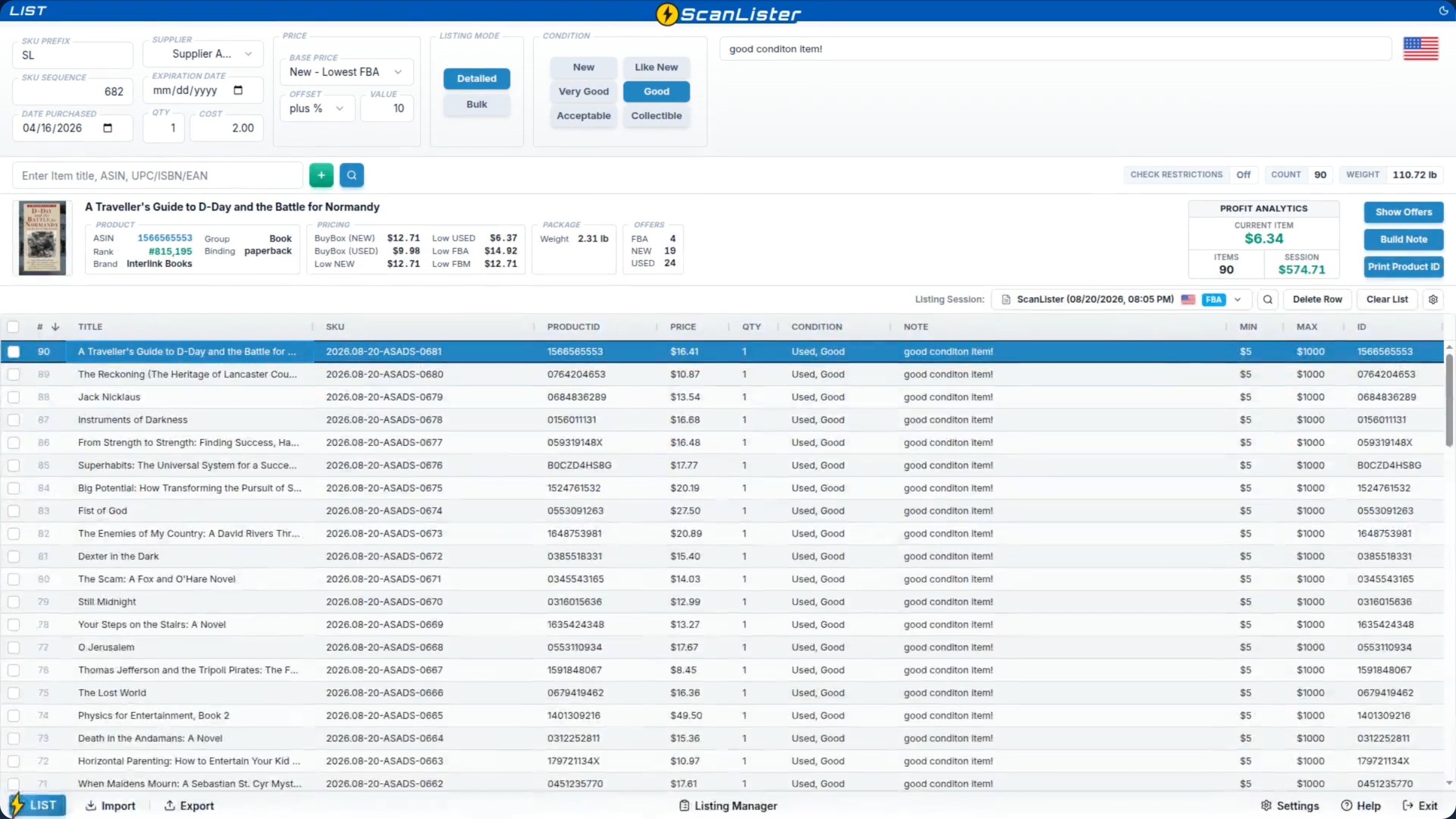
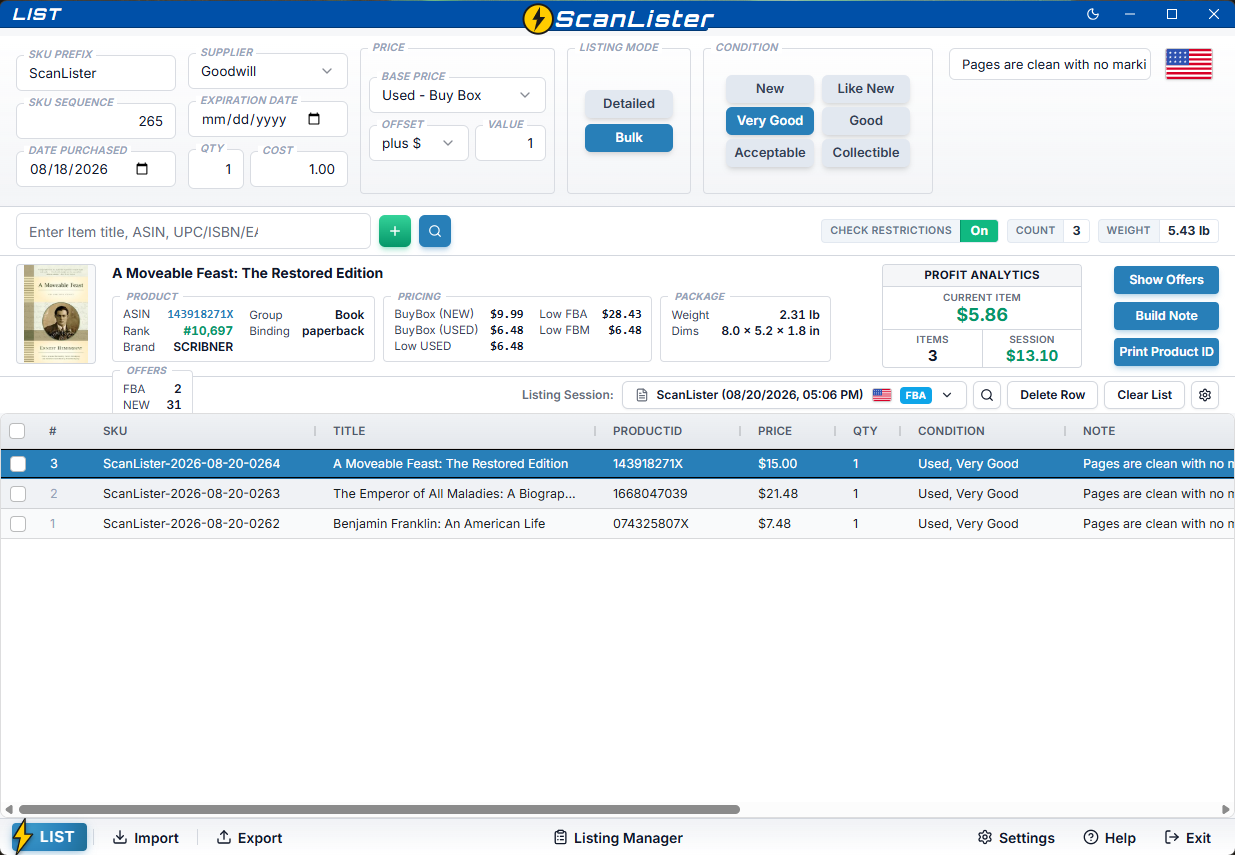
⚡ Bulk Listing Mode

Designed for sellers who emphasize speed over pricing and grading.
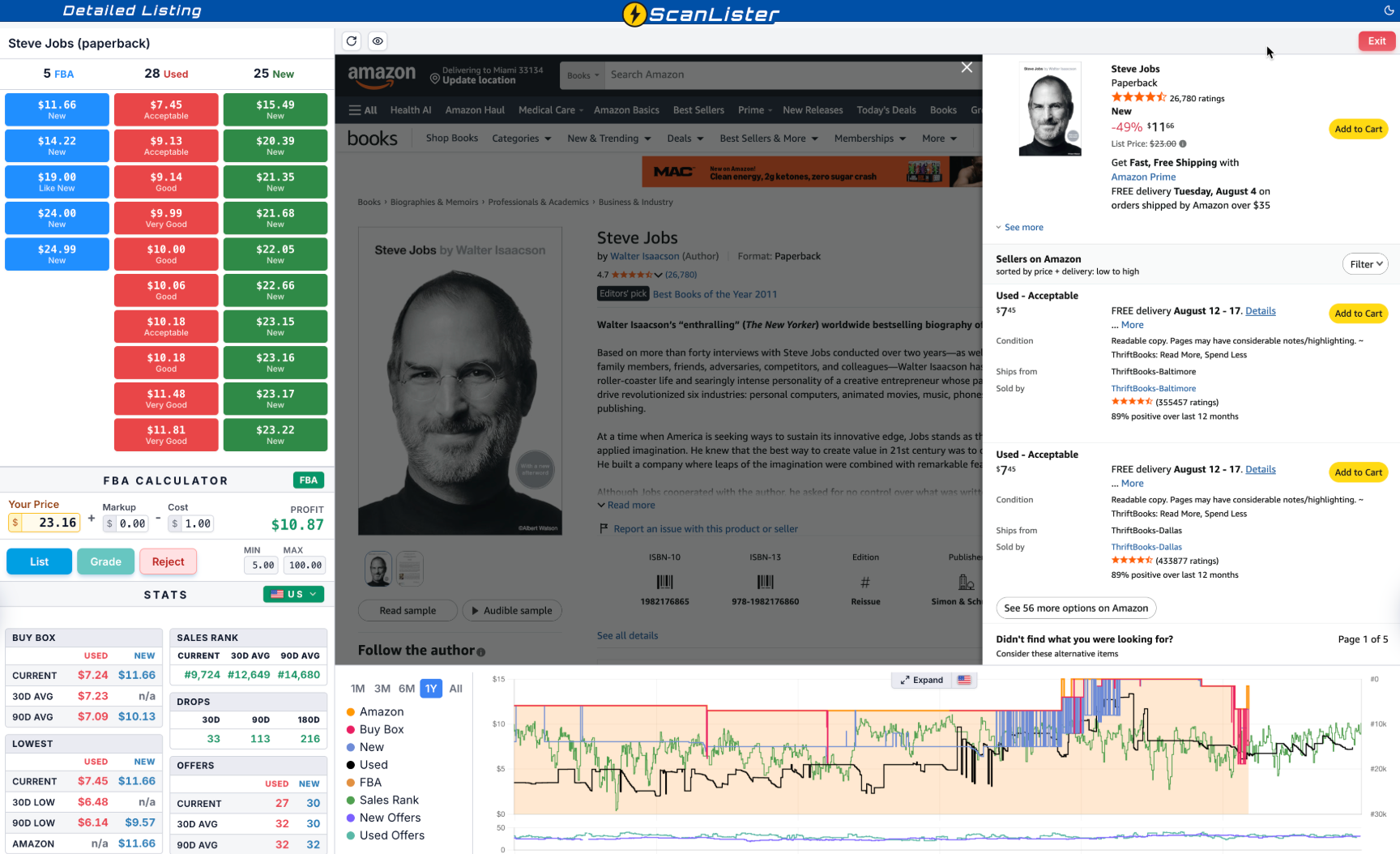
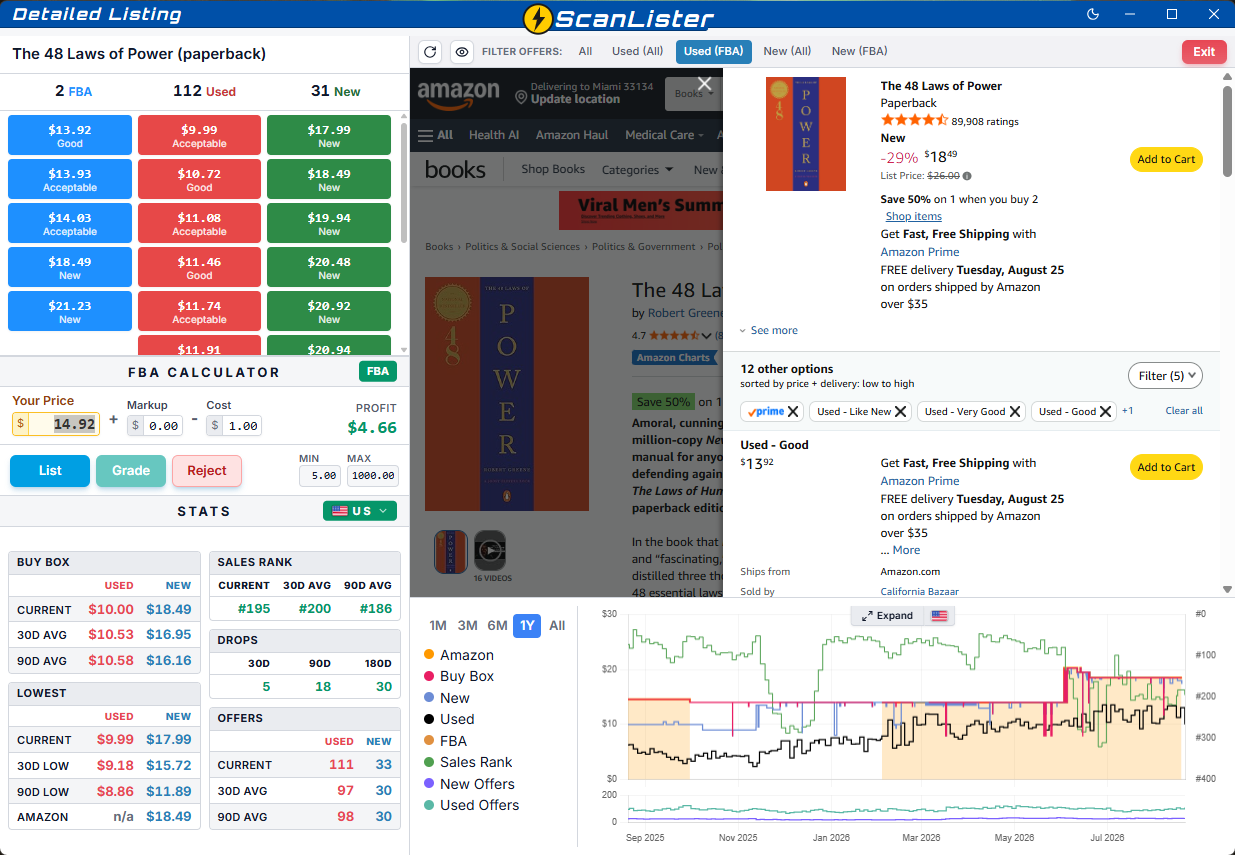
ScanLister detailed listing screen
🎯 Detailed Listing Mode

Designed for sellers who emphasize pricing and grading over speed.

ScanLister listing manager screen
📊 Listing Manager

Every session's status, profit, and shipping plan in one command center.
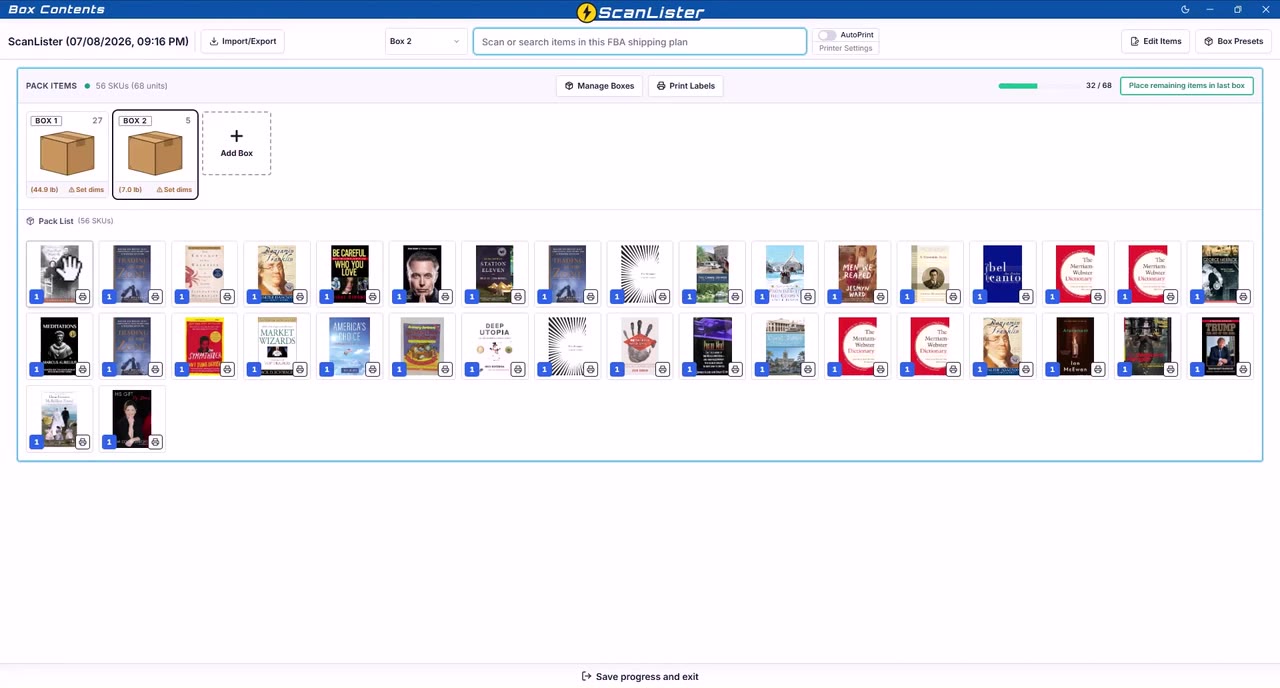
See ScanLister in Action
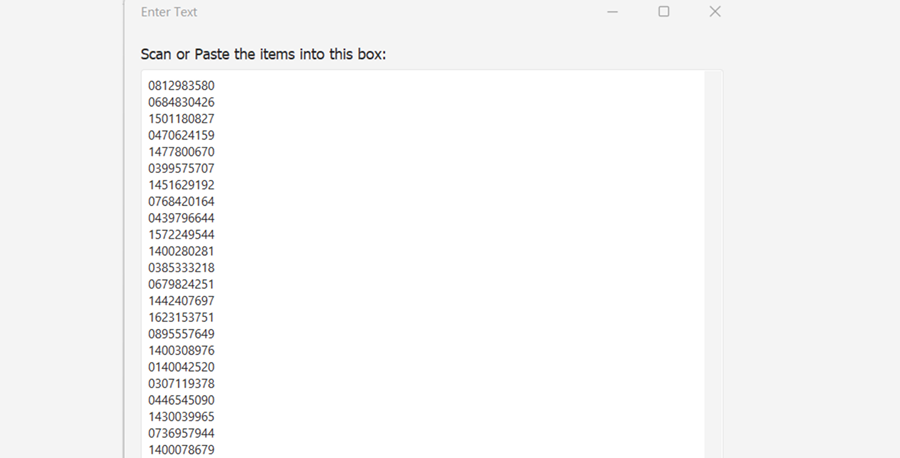
List hundreds of items with bulk scanning and instant uploads.
Application window titled 'Enter Text' with a text box containing a list of scanned or pasted numeric codes.
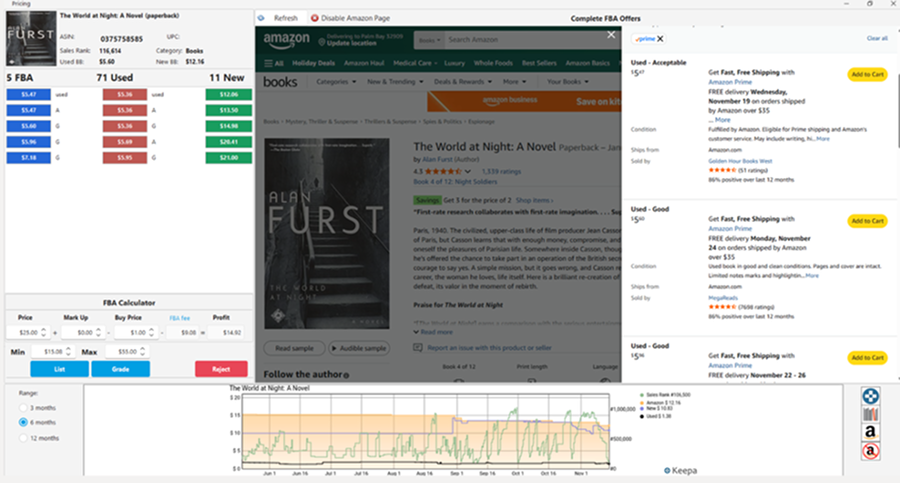
Detailed Pricing View
Screenshot of Amazon product page and FBA calculator for 'The World at Night: A Novel' paperback showing pricing details, sales rank, used and new offers, and a sales trend graph.
See real-time Amazon data to price each product accurately.
Box Content Manager
Screen interface showing Pack group 1 with three boxes of various weights and a product list including titles like Frankenstein, A Random Walk down Wall Street, and The Power of Praying for Your Adult Children.
Print FBA labels as you pack — no need to switch between systems.
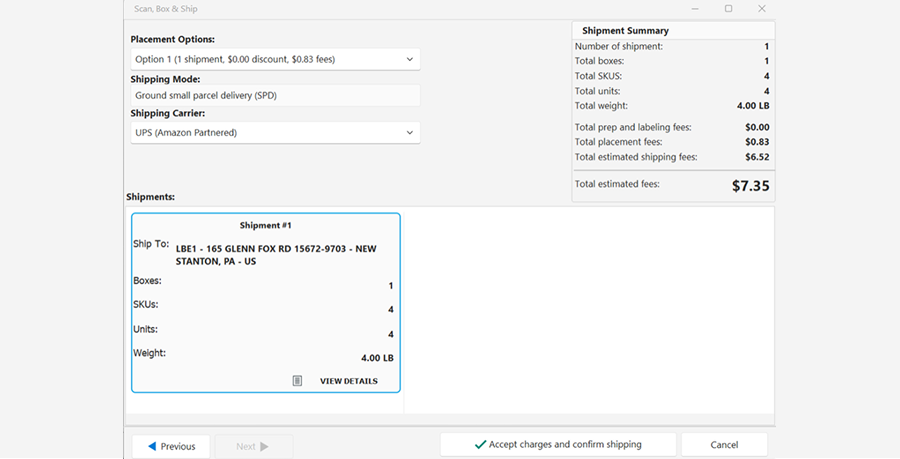
Complete FBA Shipment
Shipping interface showing placement options, shipping mode and carrier, shipment details including destination and weight, and a shipment summary with fees totaling $7.35.
Finalize shipments and print Amazon shipping labels directly in ScanLister.
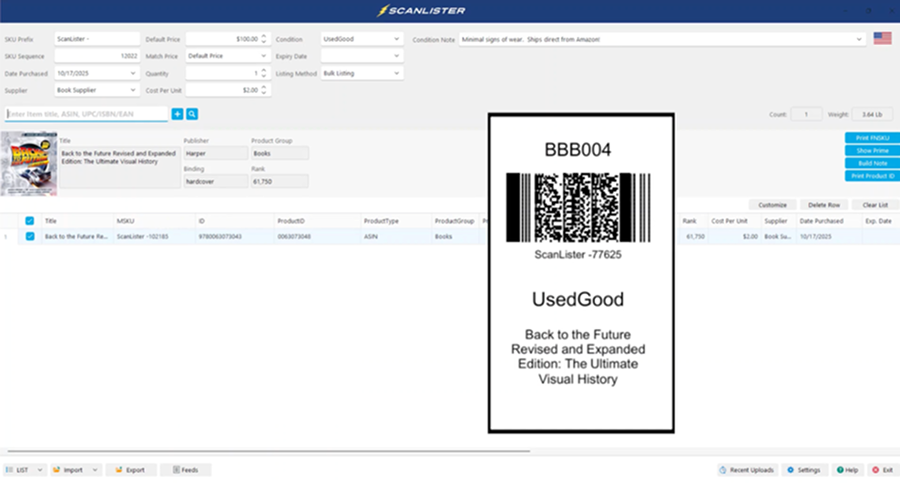
Ticket Printing
Screenshot of ScanLister software interface showing a book listing for 'Back to the Future Revised and Expanded Edition: The Ultimate Visual History' with product details and a barcode labeled BBB004.
Generate product tickets to easily organize and track your inventory.
Arrow for slider left
Arrow for slider right
Start 14-Day Free Trial

A Faster Workflow in 3 Simple Steps

Scan, review, and upload your inventory in just a few clicks
Two layered checklist documents with a checkmark and gear icons indicating settings or configuration.
Set Item Condition

Choose the item’s condition and add a brief note about its quality or packaging details.

Animated icon of a white document with blue horizontal lines and a bright green border.
Scan Your Products

Connect a barcode scanner to instantly fetch product details and pricing from Amazon’s catalog.

Blue cloud icon with an upward arrow underneath on a transparent background.
Upload and Sell

Send your product listings directly to Amazon with one click—ready for FBA or MF sales.

Why Sellers Choose ScanLister

Built for real Amazon sellers who need speed, control, and reliability
Icon of a desktop computer monitor with a simple rectangular screen and stand.
Runs on Your Computer

Available for Mac and PC — ScanLister installs locally, giving you faster speed and full control.

Blue lightning bolt icon representing electricity or power.
Lightning-Fast Listing

List Faster while items process in the background. Rebuilt Listing screen with fewer Amazon errors.

Icon of an open box with rays emanating upward, symbolizing new or unpacked items.
Powerful Built-In Tools

Box Content Manager with Visual Drag and Drop Packing. Scan and Auto-Print FBA Labels.

Works with Amazon marketplaces in the US, Canada, UK, Italy, Germany, France, Spain, and Australia.

Fast. Reliable. Built for Real Sellers.

Everything you need to scale your Amazon listing workflow
⚡ List Fast, Price Later

Bulk Listing — Built for Speed

Designed for sellers who emphasize speed over pricing and grading.

List faster while items process in the background
One-touch condition selection on a redesigned main screen
Live profit analytics for current items and whole session
ScanLister bulk listing screen with one-touch condition selection
🎯 List Once, Priced Right

Detailed Listing

Designed for sellers who emphasize pricing and grading over speed.

Current, 30-day, 90-day, and Amazon prices
Expandable price history chart
Switch marketplace data instantly — US, Canada, UK, and more
ScanLister Detailed Listing Mode with pricing data and live Amazon page
📊 Control

Listing Manager

Every session's status, profit, and shipping plan in one command center.

Profit per session — fees included, down to the item
Combine multiple listing sessions into one shipping plan
Relist entire sessions or failed items only
ScanLister Listing Manager with session status and actions
📦 Shipping

Box Contents Manager

Pack on screen the way you pack in real life.
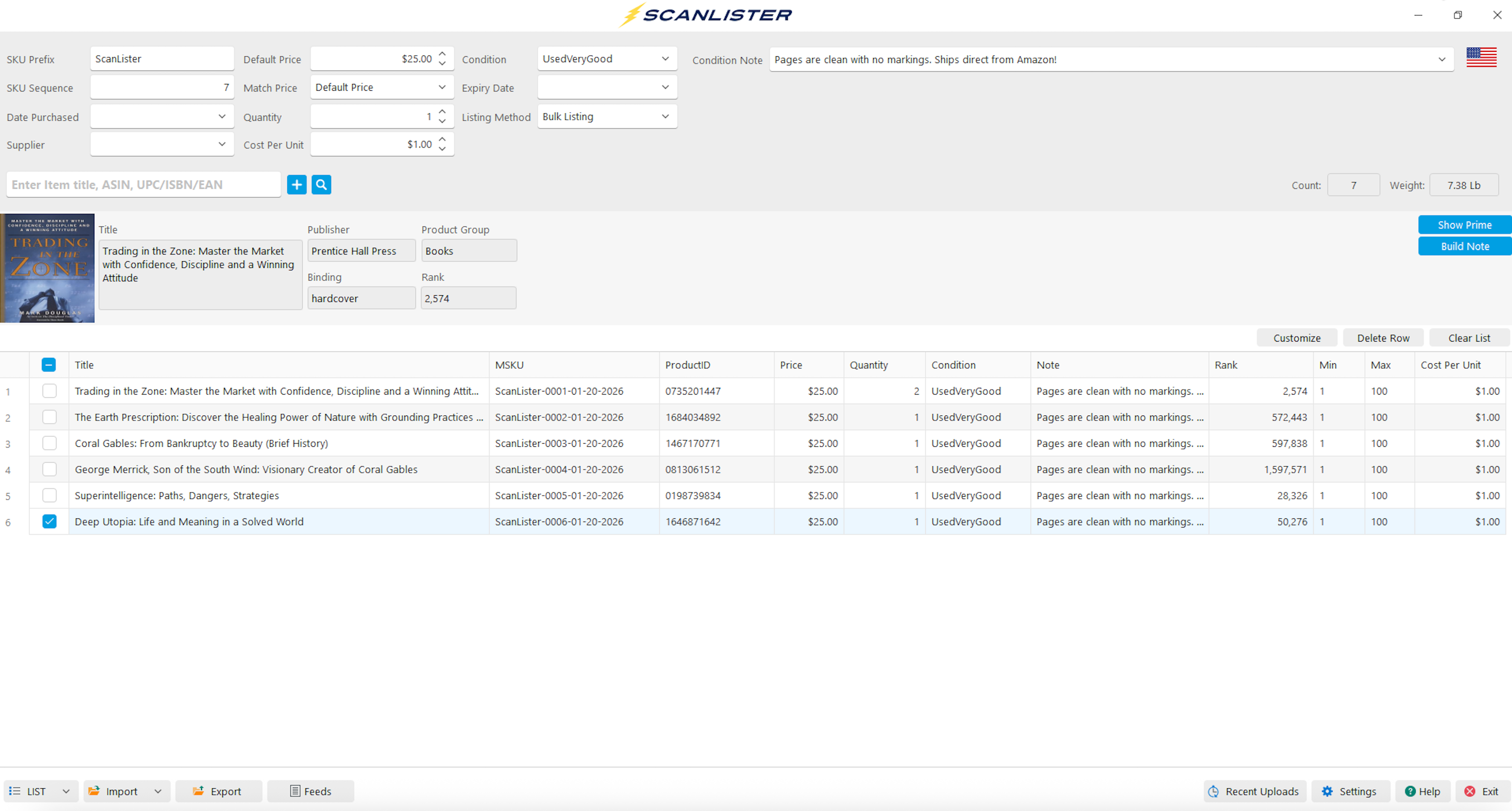
Visual drag-and-drop packing — see every box and what's inside
Scan-to-pack with AutoPrint labels
Box weights tracked as you pack
ScanLister Box Contents Manager with visual packing
See all features →

What Sellers Are Saying About ScanLister

Early feedback from beta testers, plus a decade of sellers who list with ScanLister every day

This is a MAJOR upgrade to ScanLister — LOVE IT!!!

MM
Michael M.
Beta tester · ScanLister 4.0

Great feel to it and pretty quick UI so big improvement off the bat. The queue processing is really nice so congrats. UI is cleaner visually.

TS
Thomas S.
Beta tester · ScanLister 4.0

As far as I know, you have the best product on the market for bulk book listing.

B
Bryan
ScanLister seller · Minnesota

Professional Pricing for Serious Amazon Sellers

One simple plan designed to help you list faster and earn more

Full Access Subscription

$29/month
Applicable taxes may be added at checkout.
Green check mark symbol.
14-day free trial
Green check mark symbol.
Cancel anytime
Green check mark symbol.
Up to 5 computers & 5 Amazon accounts
Green check mark symbol.
Go Lifetime Anytime
Green check mark symbol.
Optional private seller community
Start Free 14-Day Trial
Lifetime License
$799
Green check mark symbol.
One Time Payment
Green check mark symbol.
Free Updates for Life
Green check mark symbol.
30-Day Money Back Guarantee
Green check mark symbol.
5 License Keys for 5 Computers
Green check mark symbol.
Access to Private Facebook Group
Get Lifetime Access

Frequently Asked Questions

Answers to the most common questions sellers ask before getting started.

Yes — ScanLister is a desktop application that works on both Windows PCs and macOS computers. Because it installs locally it runs faster and more reliably than browser-based tools.

Absolutely. You’re free to cancel at any time. If you are still within the 14-day trial period, no payment is required. After the trial, you may cancel your subscription at any point and retain access until the end of your current billing cycle.

Yes — your free trial gives you access to all features included in the plan. You’ll be able to test the full workflow including bulk listing, label printing, box-content tools, and more. No limitations, no hidden features.

One subscription includes five (5) license keys, allowing you to install and use ScanLister on up to five different computers (Mac or PC) concurrently, giving your team flexibility or backup devices.

Yes — ScanLister fully supports FBA label printing, merchant-fulfilled ticket printing, and box-content label workflows. All printing is handled natively within the application, saving you from exporting files or switching platforms.

Yes — ScanLister works with Amazon marketplaces globally. Whether you sell in the US, Canada, UK, Germany, France, Spain, Italy or other supported regions, the app supports your workflow. (Check the help documentation for specific marketplace integrations.)

Need more help? Check out our Help Center.