
Items you already sell on Amazon can be listed on eBay too, straight from the Inventory screen. There is nothing to rescan. For merchant fulfilled items, the Amazon and eBay listings then share one stock count. FBA items work too; see Selling FBA Items on eBay.
On the Inventory screen, open an item and click Add to eBay (multi-channel).
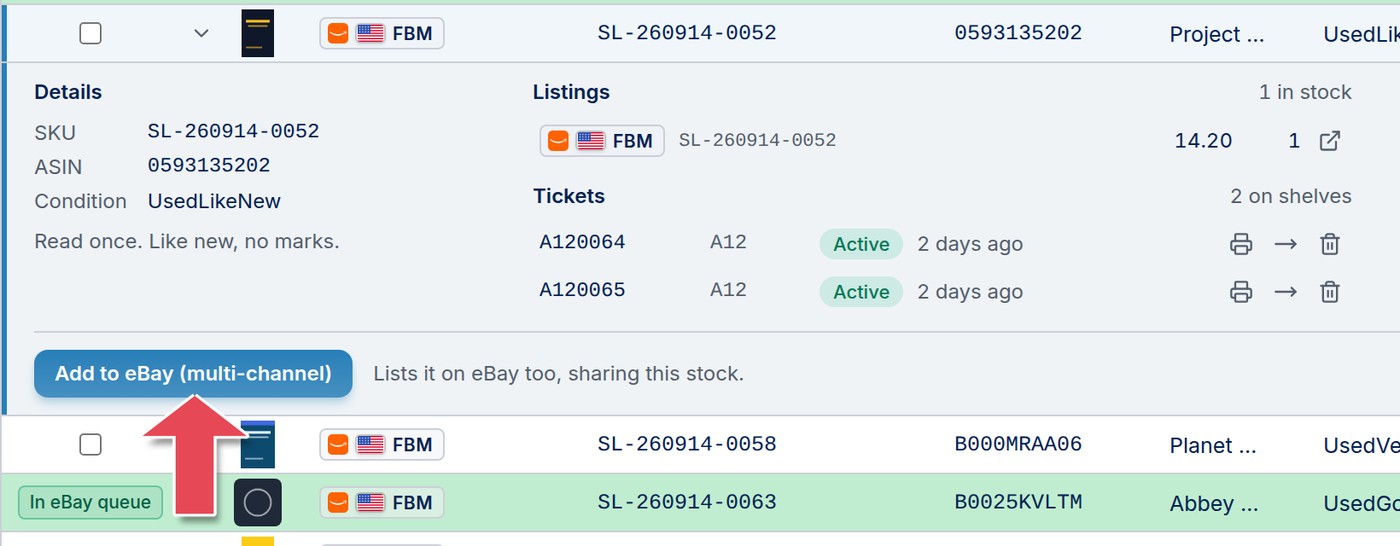
To add several at once, tick their checkboxes and click Add to eBay (multi-channel) in the bar that appears.
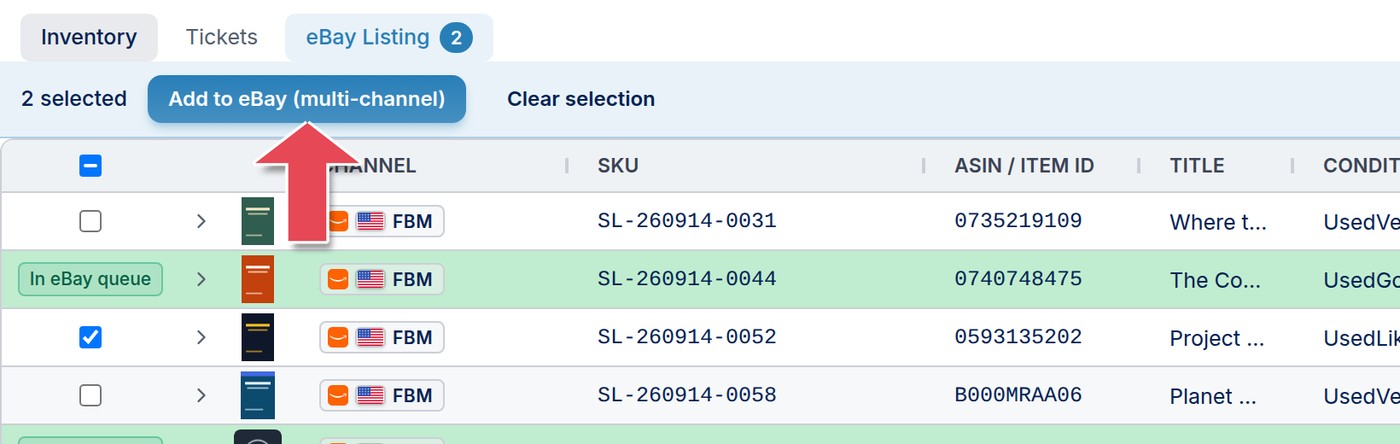
Added items are tagged In eBay queue and wait on the eBay Listing tab. The items you can add are the ones on the Amazon marketplace that matches your eBay account's site.
The eBay Listing tab holds everything waiting to go to eBay. Each item's eBay price starts from its Amazon price plus the offset at the top of the tab. Click any cell to change it: title, condition note, price, quantity, weight or category. The Photos column shows which items have your own photos, and lets you add some from your phone.
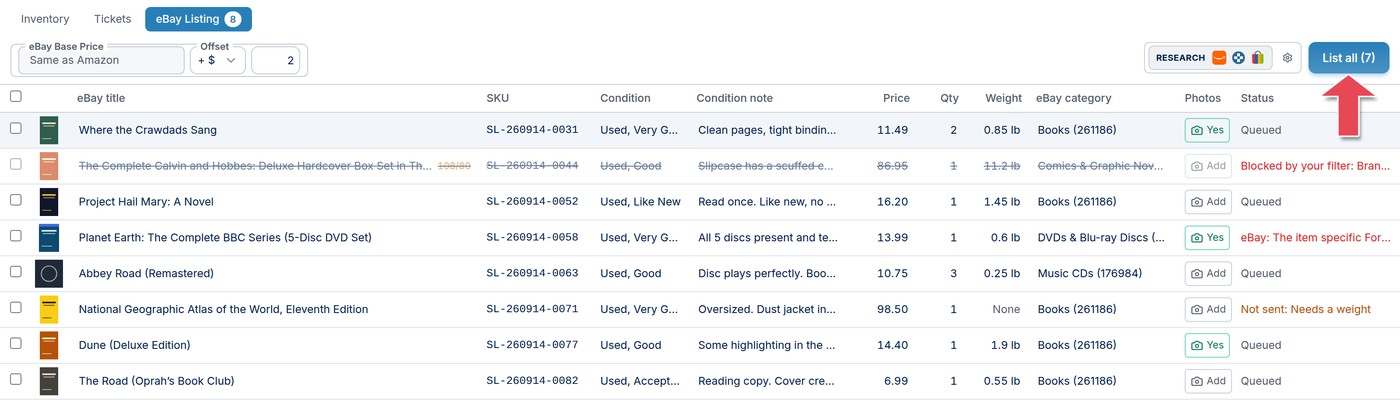
The Status column tells you about anything that needs attention:
Click List all, or tick some rows to list only those. ScanLister prepares each listing, then shows eBay's listing fees and your monthly selling limit. Click List on eBay to go live. Listed items leave the tab and show both channels on the Inventory screen.
If you listed an item on eBay yourself and it also sells on Amazon, you can link the two so they share stock. See Merging listings in Managing Your eBay Listings.
