
Once your items are on eBay, the Inventory screen is where you look after them: stock, prices, edits and ending listings. eBay sales arrive in Orders on their own. This guide covers both.
The Inventory screen shows everything you sell, on both marketplaces. The filters at the top narrow it down: Amazon only, eBay only, or Amazon + eBay for items on both. Listings you created on eBay yourself are read in too, and refreshed daily; click Sync to refresh them now.
Open an item to see each of its listings, its stock, its tickets and its history of sales and changes.
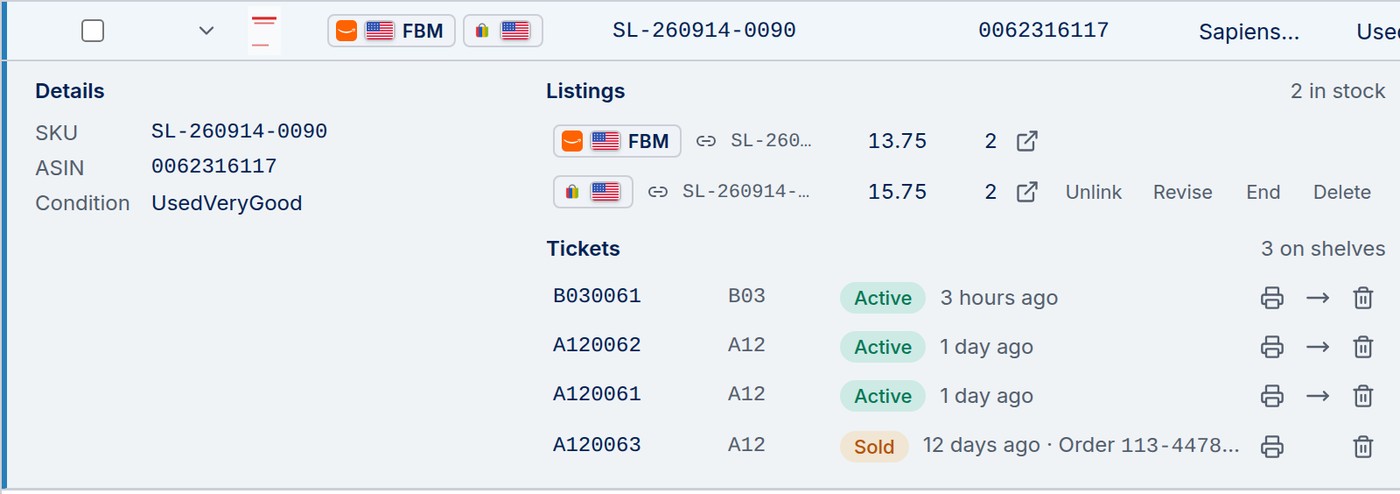
Items listed on both marketplaces from ScanLister share one stock count, shown with a link icon. Change the quantity on either listing and ScanLister updates the other. When the item sells on eBay, ScanLister lowers the Amazon quantity; when an Amazon order ships, it lowers the eBay quantity. Every change is recorded in the item's history.
To manage the two listings separately again, click Unlink.
If an item already sells on both marketplaces but the listings are not linked (for example, you listed it on eBay yourself), you can merge them. Tick both rows on the Inventory screen and click Merge. Check that both rows are the same item, set the shared stock, and click Merge.
Merging an FBA item works the same way, with one difference: the eBay listing switches to Amazon shipping. See Selling FBA Items on eBay.
Click Revise beside the eBay listing to change it on eBay. You can edit the title, price, condition note, item specifics, shipping, return and payment policies, and the description. Click Save on eBay and the change is live.
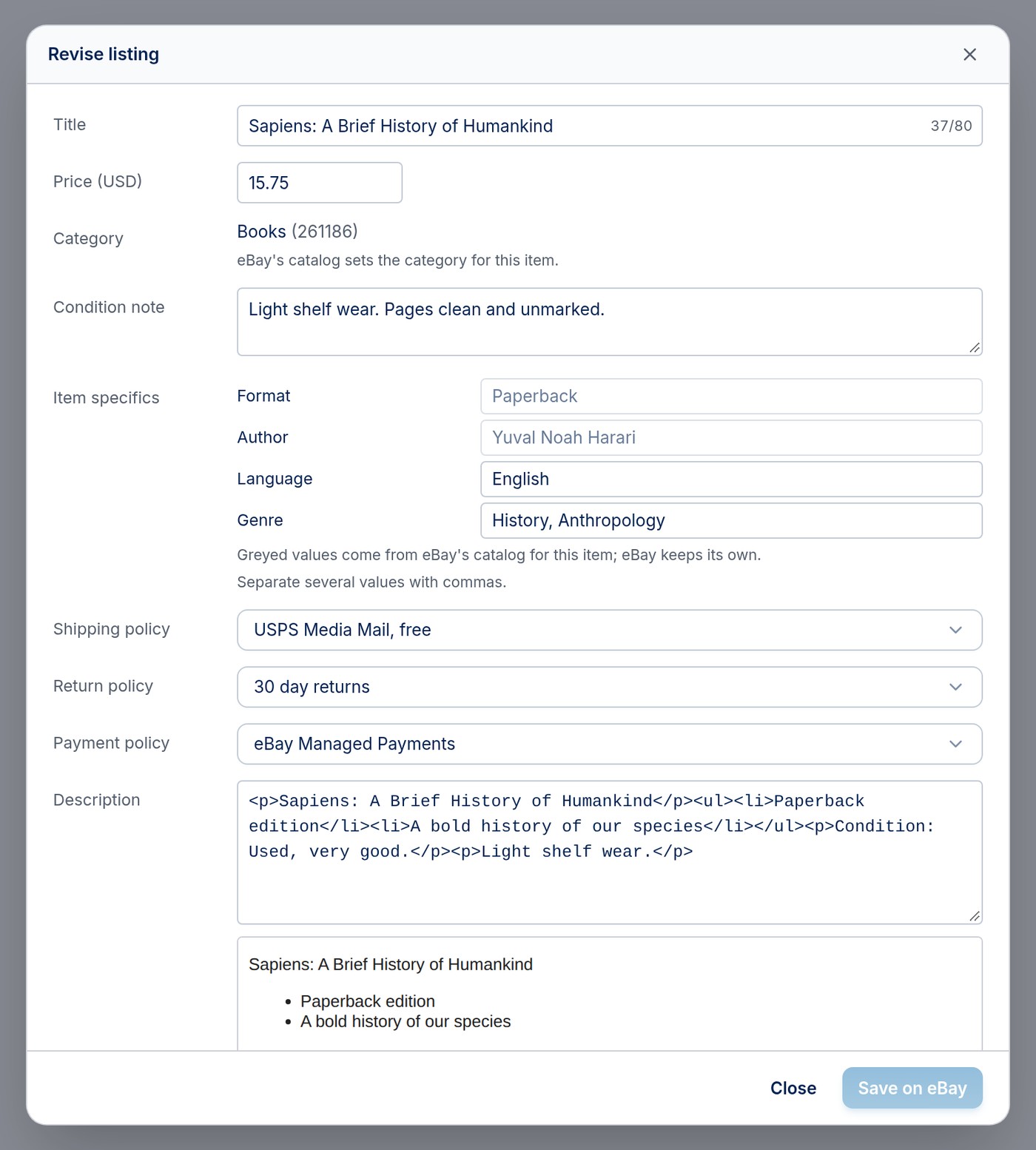
When eBay recognizes an item from its catalog, eBay sets the category and some item specifics itself, and they show greyed out. If the listing is part of a sale on eBay, eBay does not allow price changes until the sale ends.
To end several at once, tick them on the Inventory screen and use the buttons in the selection bar.
eBay sales appear in Orders, alongside your Amazon orders, usually within moments of the buyer checking out. ScanLister also checks eBay regularly, so no sale is missed. Each sale lowers the stock for that item, updates the Amazon quantity if the listings are linked, and marks the item's ticket sold if you use tickets.
For items you ship yourself, buy the shipping label right in Orders: open the order, check the weight, pick a service and print. FBA items are shipped by Amazon, so there is no label to buy; see Selling FBA Items on eBay.
