The affiliate program is open to current and past ScanLister users. You apply from inside your own account, and the whole thing takes about two minutes. You’ll need your ScanLister login and the PayPal address you want to be paid at.
1. Sign in to your ScanLister account
Go to your ScanLister account and sign in with the email address you use for ScanLister. Past customers can still sign in with their original email, even if the subscription has lapsed.
Can’t get in? Email Support@ScanLister.com and we’ll sort out your account before you apply.
2. Open Earn in the left menu
Earn is the last item in the sidebar, below Support. It shows the program terms and the button that starts your application.
Earn sits at the bottom of the left menu.
What the program pays
25% commission when a customer you refer purchases a new license.
Commission on renewals — you keep earning on their automatic subscription renewals.
30-day tracking cookie from a visitor’s first click, so you still get credit if they buy later.
$100 minimum payout before a payment is released.
Paid monthly in USD via PayPal.
30-day refund hold — only commissions older than 30 days are paid out.
3. Click Become an Affiliate and fill in the form
The application is one short page. Your name is filled in from your account; everything else is up to you.
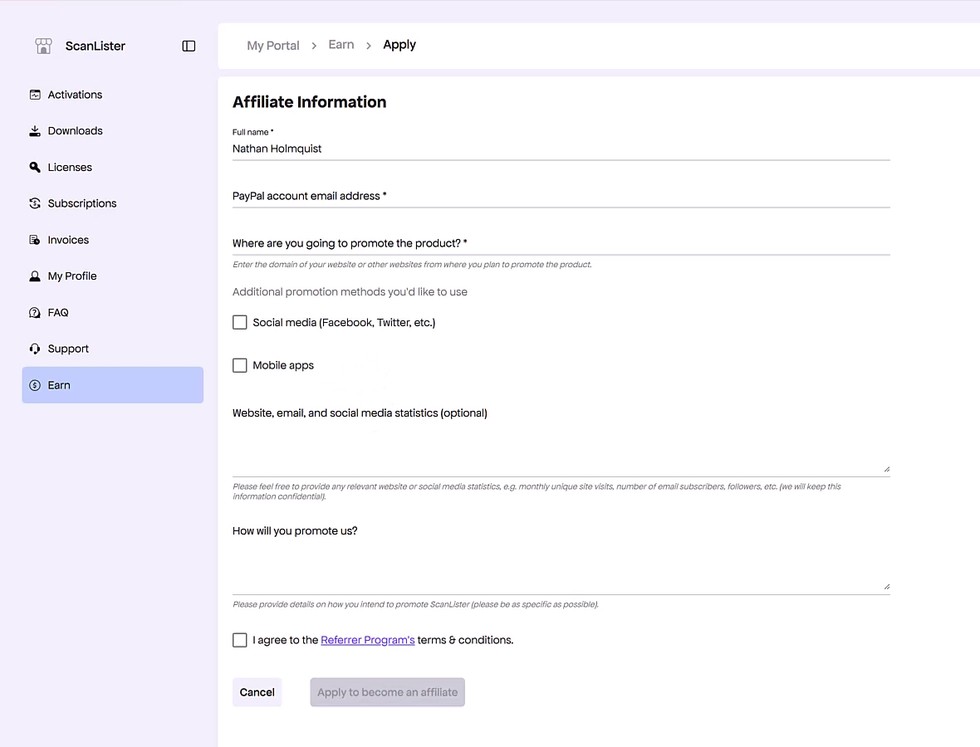
The Affiliate Information form, before you fill it in.
Full name — already filled in from your ScanLister account.
PayPal account email address (required) — this is where your commissions get paid. Double-check it; a typo here is the most common reason a payout goes astray.
Where are you going to promote the product? (required) — the domain of your website, channel, or wherever you’ll be posting. A YouTube channel URL or a Facebook group is fine if you don’t run a site.
Additional promotion methods — tick Social media or Mobile apps if either applies.
Website, email, and social media statistics (optional) — monthly visitors, subscriber count, group size. Worth filling in, it helps us review your application faster, and it’s kept confidential.
How will you promote us? — a sentence or two. Be specific: “a walkthrough video on my YouTube channel” tells us more than “online”.
4. Agree to the terms and submit
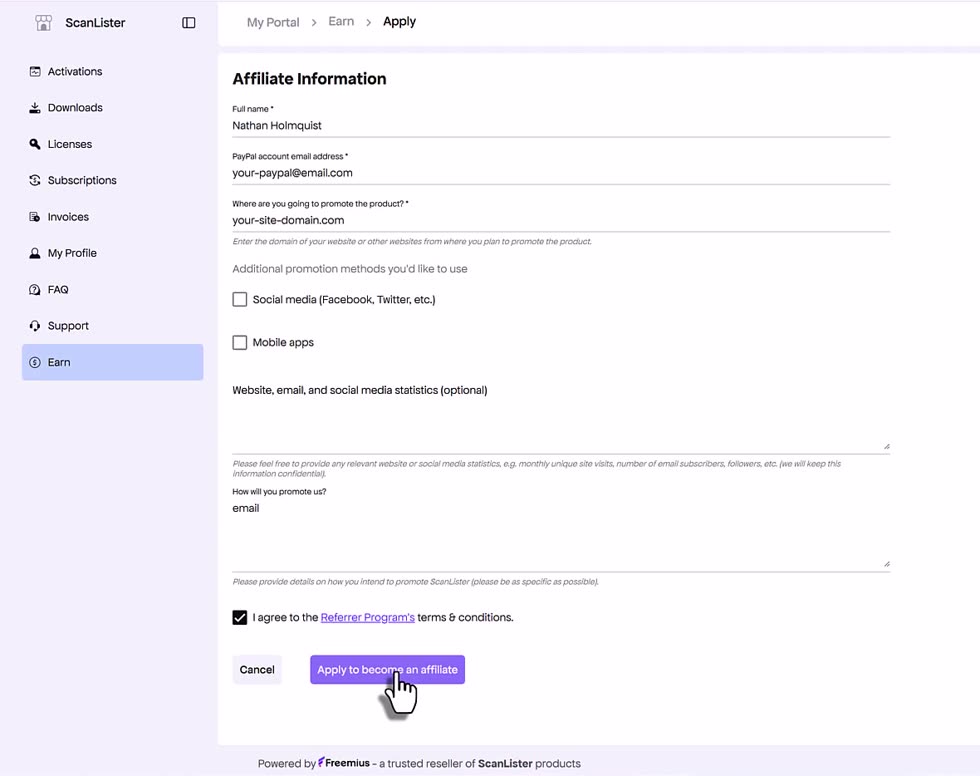
Tick I agree to the Referrer Program’s terms & conditions at the bottom, then click Apply to become an affiliate.
The button stays greyed out until the two required fields are filled and the terms box is ticked. If you can’t click it, something above is still empty.
With the terms box ticked, the Apply button turns purple and becomes clickable.
5. Wait for approval
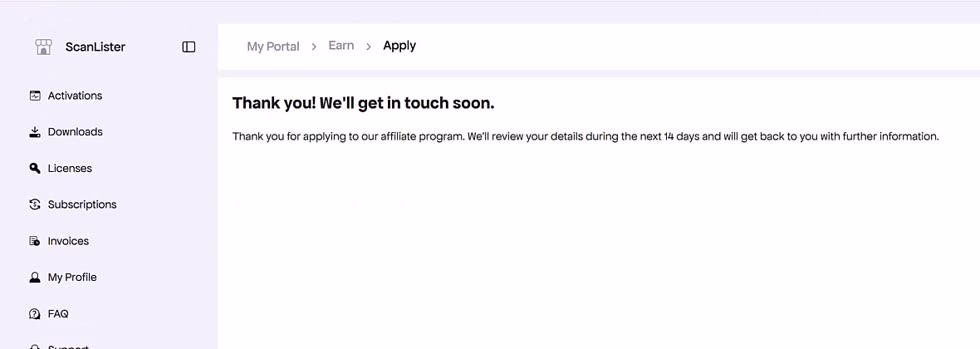
You’ll land on a confirmation screen. We review applications within 14 days and email you the result.
Once approved, your affiliate link and earnings dashboard appear under Earn.
Still stuck, or not sure whether your old account still qualifies? Email Support@ScanLister.com.

.jpeg)