Settings
No items found.
Video Walkthroughs
No items found.
?
FAQs & Troubleshooting
No items found.
Researching an Item
No items found.
Listings Manager
No items found.

Still on the old ScanLister?

Visit the ScanLister 3 help center
Billing and License Keys

How to Manage your License Keys

September 13, 2026

Your ScanLister license keys live in the customer portal. Here’s how to find them, and how to free up a computer you no longer use.

1. Go to the Dashboard and select Log in to Account Dashboard

Sign in at scanlister.com/login, then select Log in to Account Dashboard.
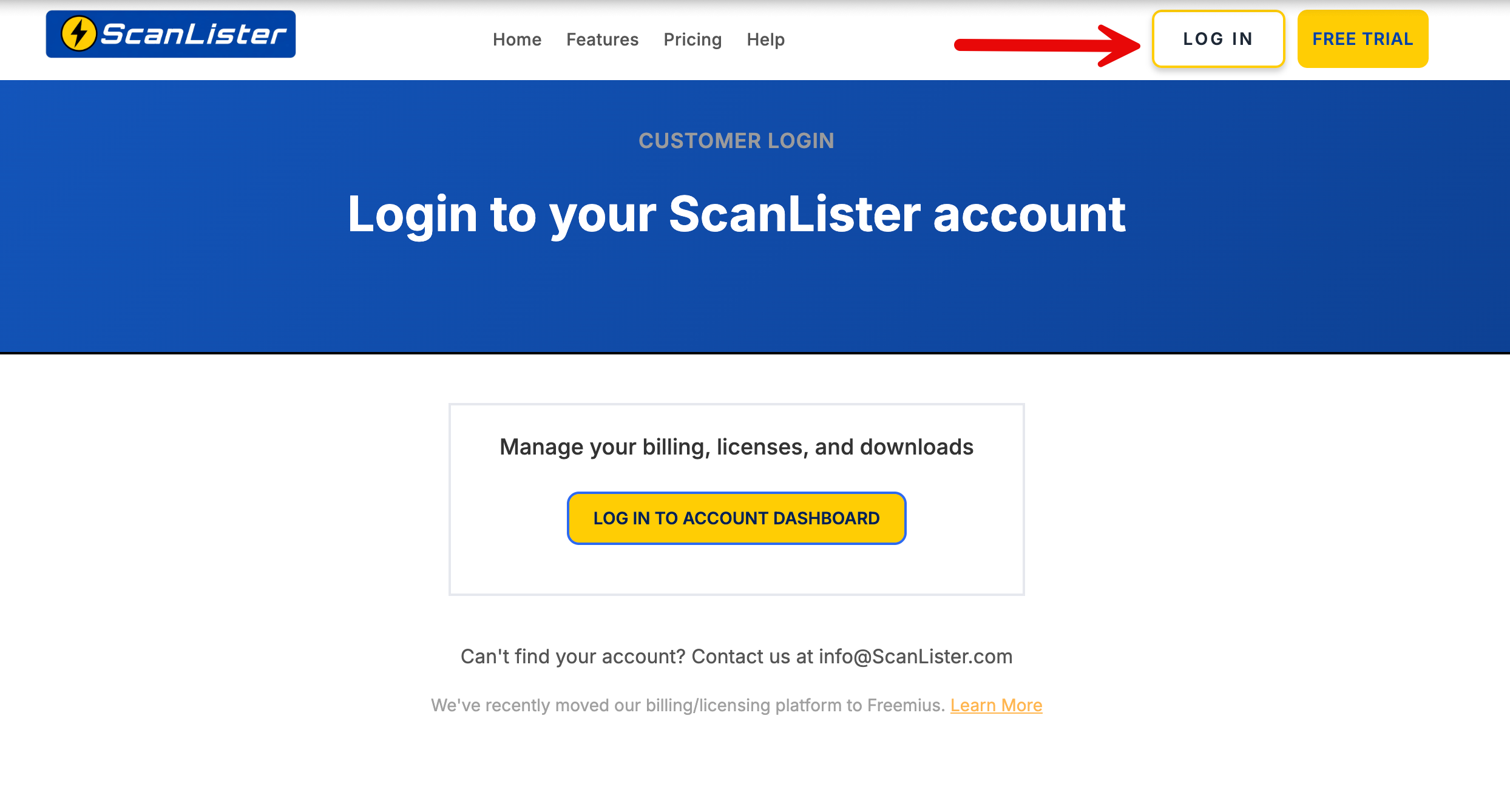
The ScanLister login page with the Log in to Account Dashboard button

Haven’t set a password for the new portal yet? How to Reset your Password walks you through it.
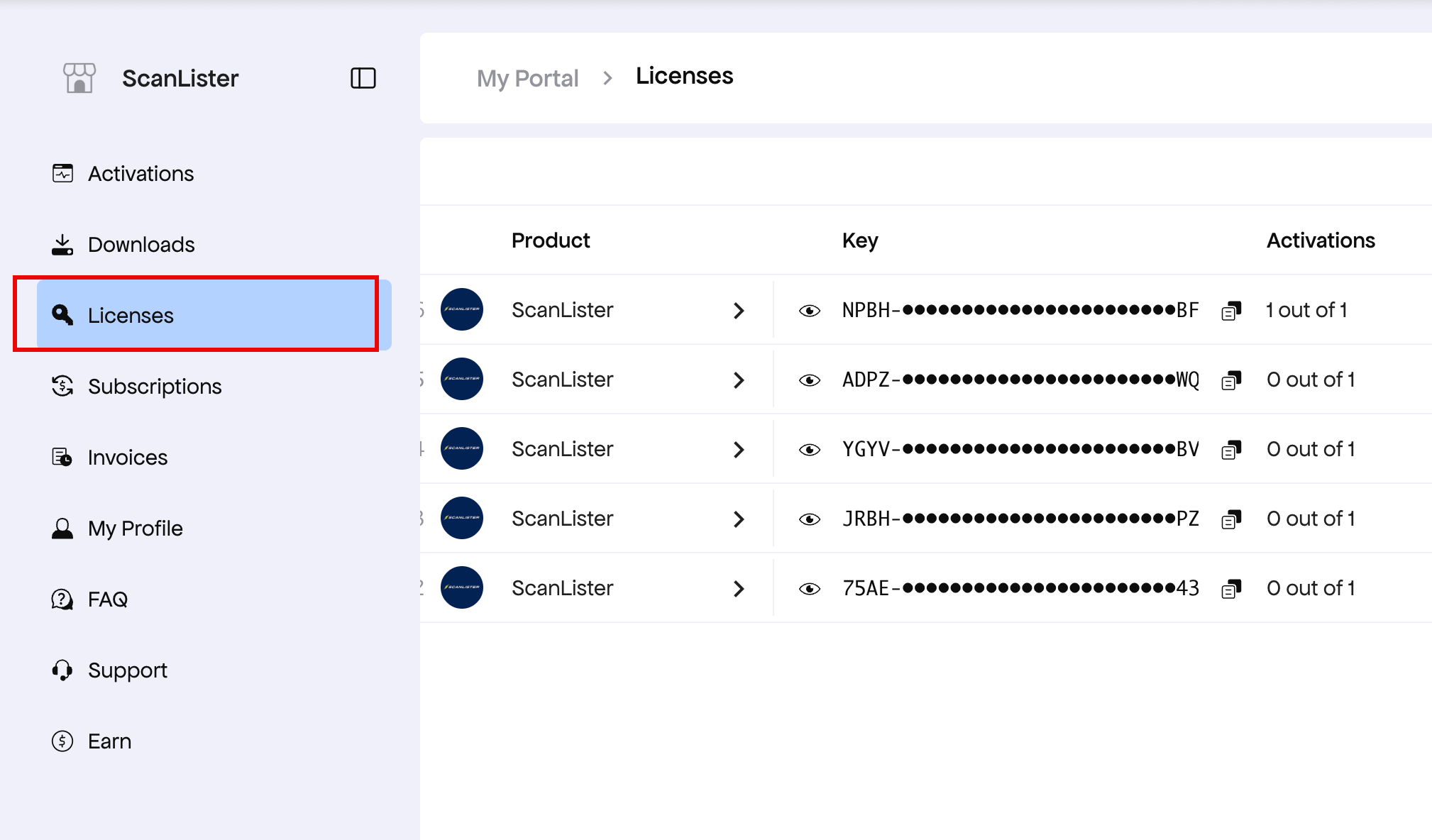
2. Select Licenses from the left menu to view all of your license keys

  • Current ScanLister customers (signed up before 4/8/2026) will have the same five license keys.
  • New ScanLister customers (signed up after 4/8/2026) will have one license key with 5 activations. You can use the same key on up to 5 computers.
The Licenses screen in the customer portal listing five ScanLister license keys and their activations

3. Deactivate a license from a computer

There are two ways to do this:

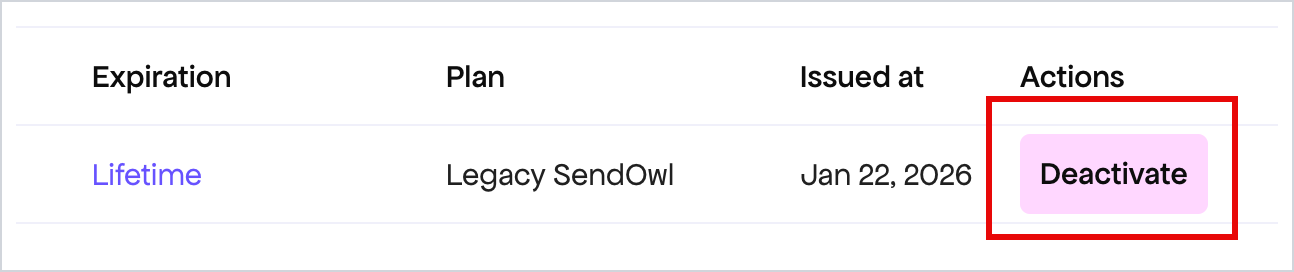
  • From the customer portal, select Deactivate.
  • Directly from the ScanLister app, select Un-Register in the lower-right corner of the main screen. This option is available only in newer versions of ScanLister.
A license row in the customer portal with the Deactivate button highlighted
The Un-Register button in the lower-right corner of the ScanLister main screen

Why does the portal look different?

ScanLister recently upgraded to a new billing and license management system powered by Freemius.

This gives customers improved account management features, including self-service license deactivation and reactivation.

You are still managing your ScanLister account and licenses — only the underlying customer portal has changed.

For more details about the migration, you can read our full update here: ScanLister Update: New Billing & License System — Freemius Migration.